Manager
Settings, reports, the menu, loyalty and the customer display.
The order & waiting system for restaurants
The cashier enters the order, the kitchen sees it instantly, and your guest follows it on their phone until they collect it with a private code — in the browser, with no app to install.
The Sufra team reviews registrations to verify each restaurant; the trial is activated subject to eligibility and platform settings.
Real screens from Sufra in an isolated demo — the restaurant and orders are fictional.
The story
Nine o'clock, Thursday night. The dining room is full, the counter is crowded and the kitchen is at full stretch. And every guest asks the same question:
“Is my order ready?”
Sufra was designed for exactly this moment: every pair of hands in your restaurant knows the next step, and your guest feels looked after without having to ask.
Product tour
Every image here is a real screenshot of Sufra, with a demo restaurant and fictional orders. Each stop says whether the service is included in the base product or enabled by the Sufra team.
01 · Cashier screen
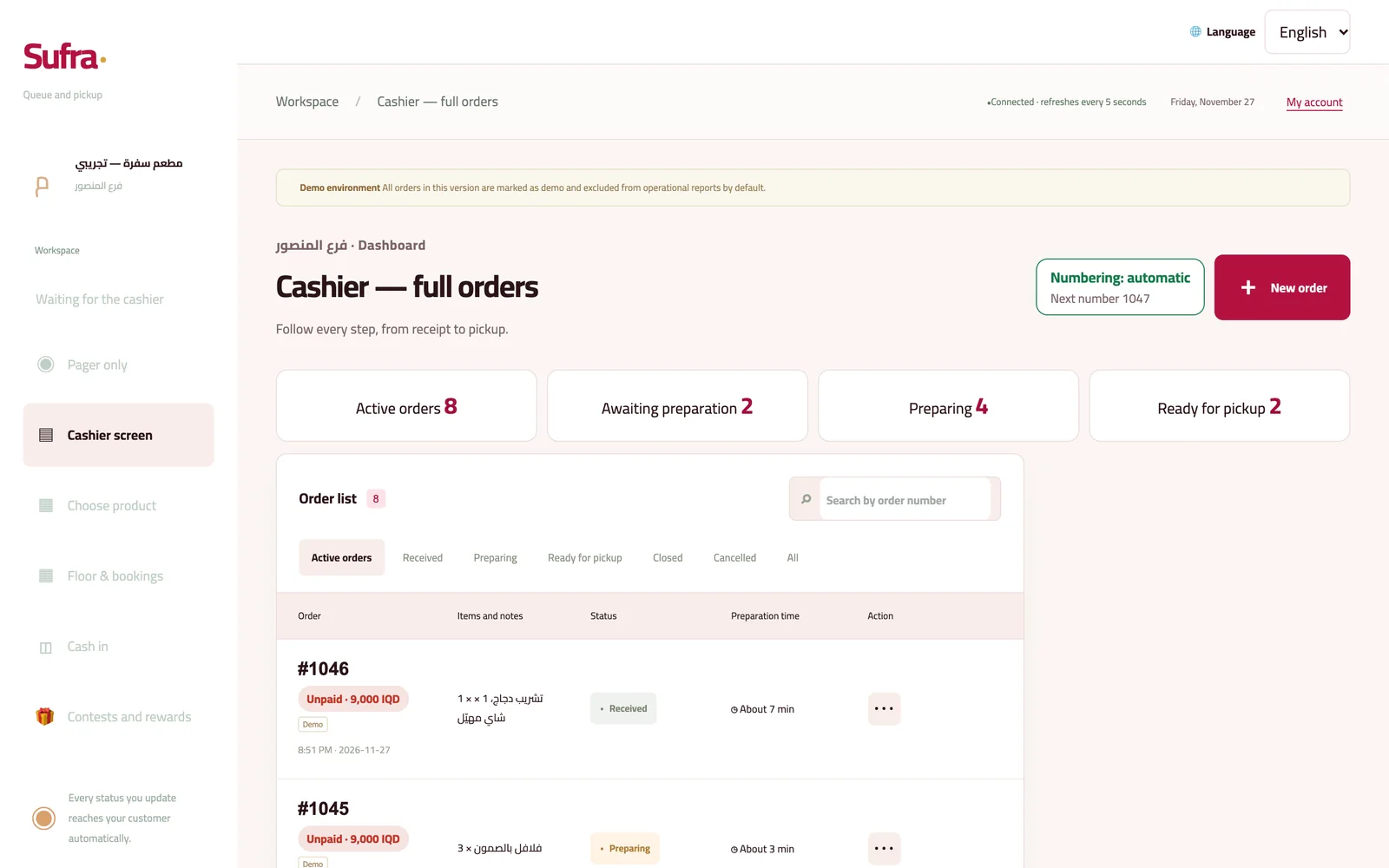
A new order from menu items or by number only, with automatic numbering and an estimated prep time. Clear counters for active, awaiting preparation, preparing and ready orders, and an “Unpaid” tag until payment is taken.
Included in base
02 · Guest waiting card
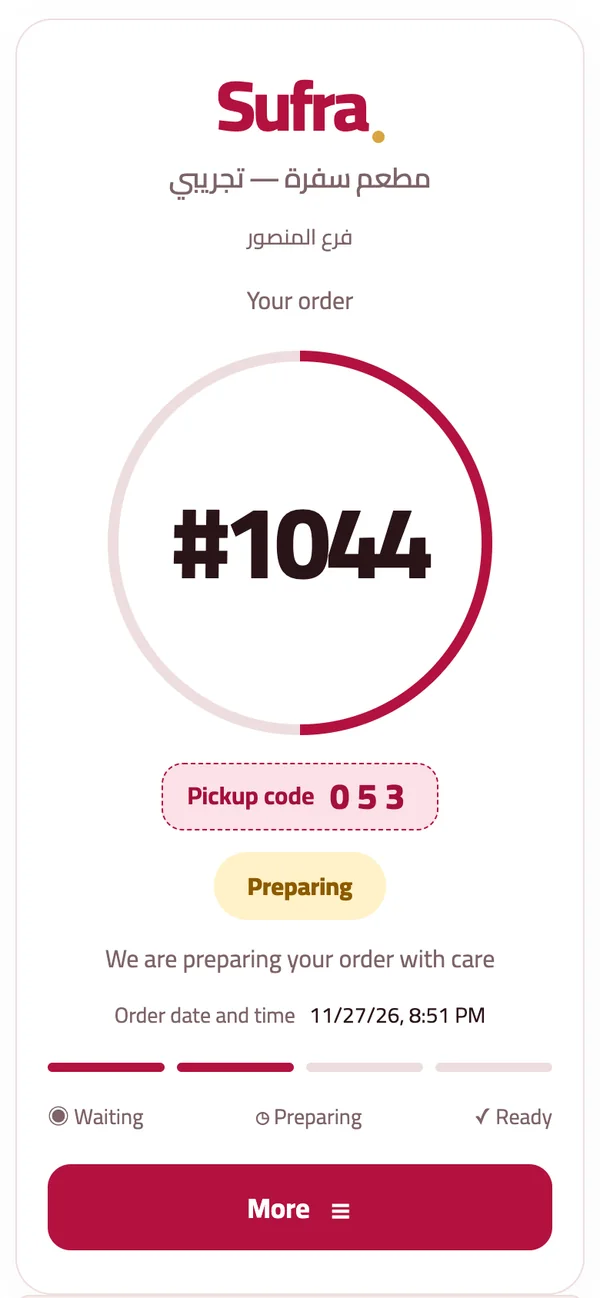
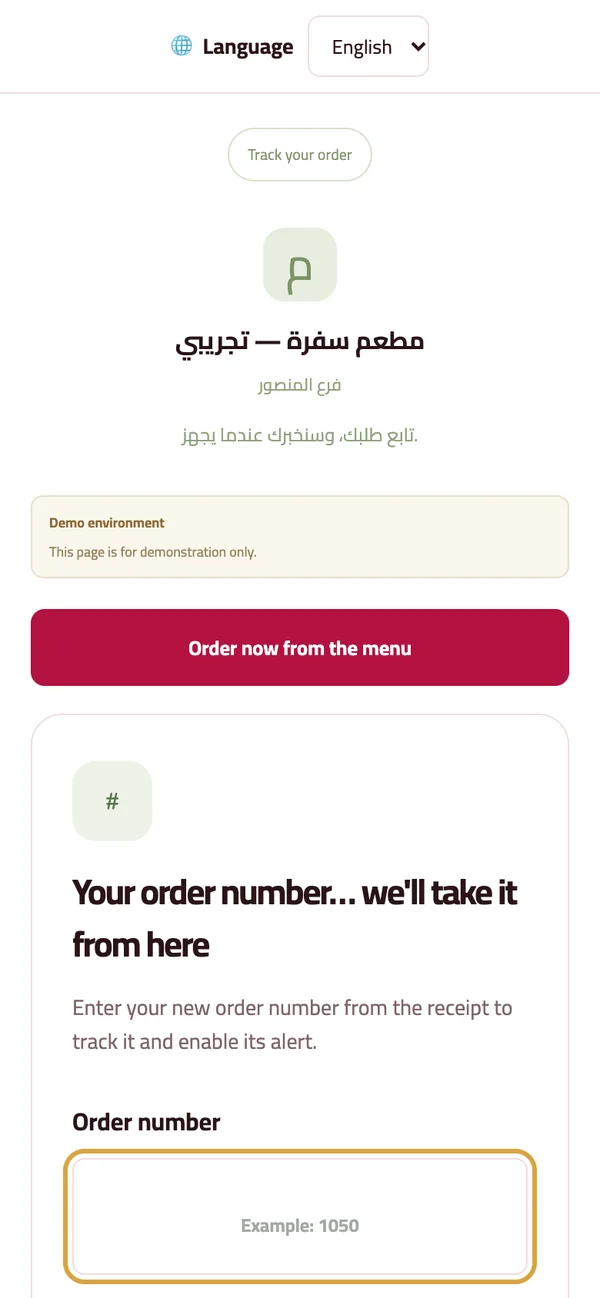
Guests scan the QR code on their receipt, or the branch QR code and enter their order number. Their card appears on the phone: order number, status, progress bar and pickup code — no account, no app.
Included in base
03 · Kitchen display
Columns for Received, Preparing and Ready for pickup. The cook starts preparation, then marks the order ready with a tap, and sees late orders and guest notes — every change reaches the guest's card automatically.
Included in base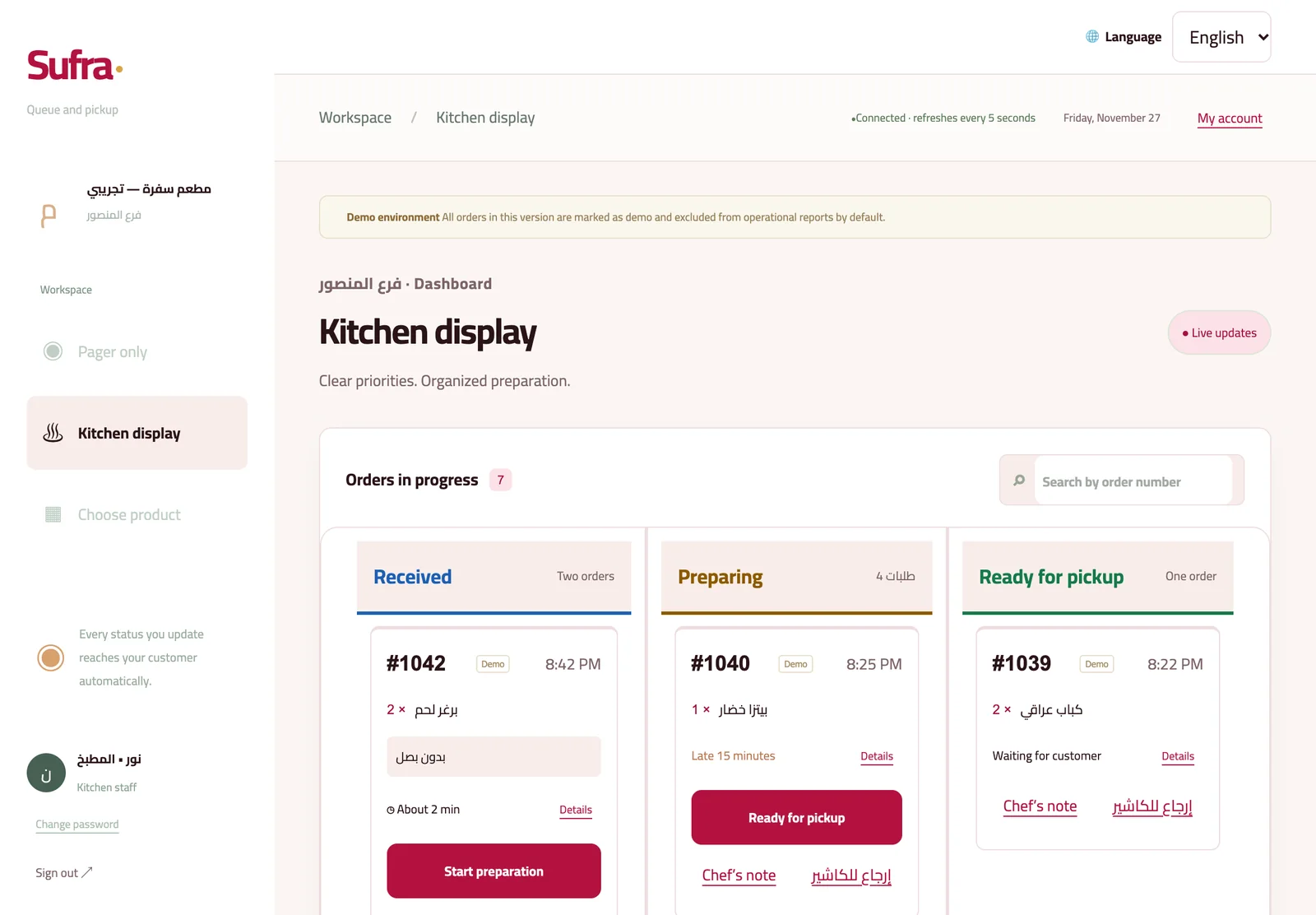
04 · Customer display
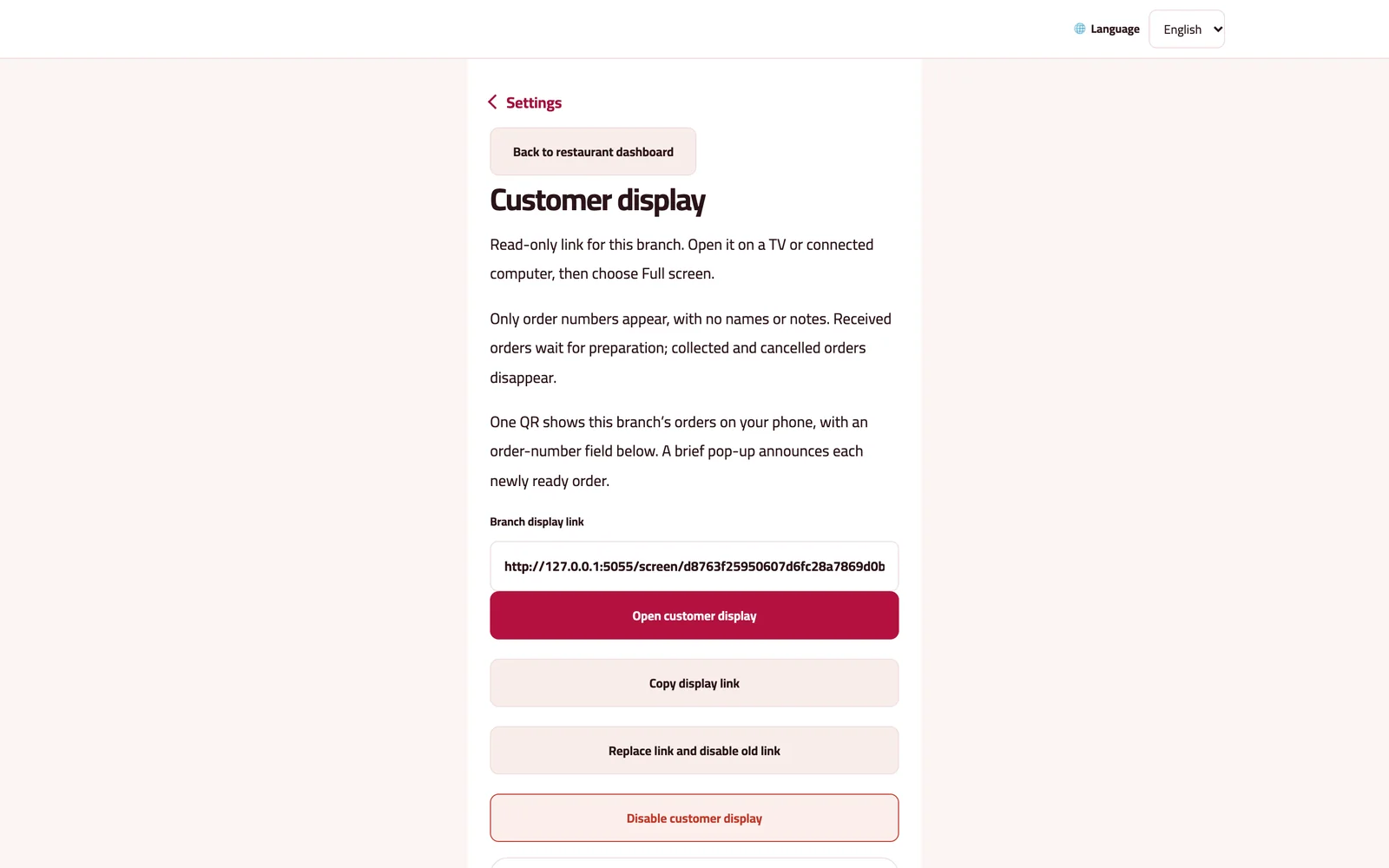
A read-only link you open on the dining-room TV: order numbers being prepared and ready for pickup, with no names or notes, plus a QR code guests can scan to follow their order.
Included in base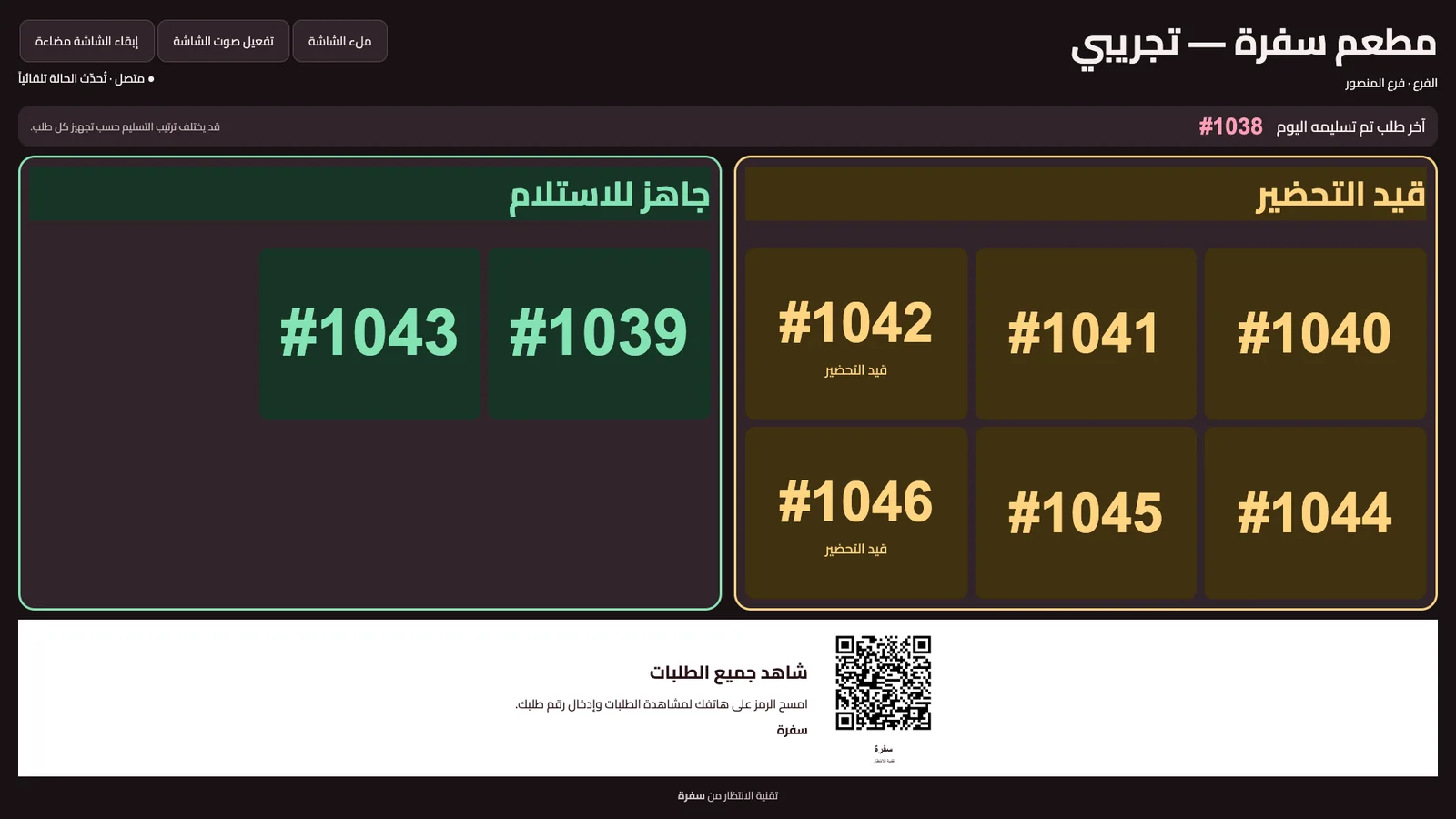 Shown in Arabic
05 · Ordering from the menu
From the branch QR code, guests browse the menu with prices and descriptions, add items to their order, then pay at the cashier. The platform can also enable table QR codes and help requests.
Enabled by the Sufra team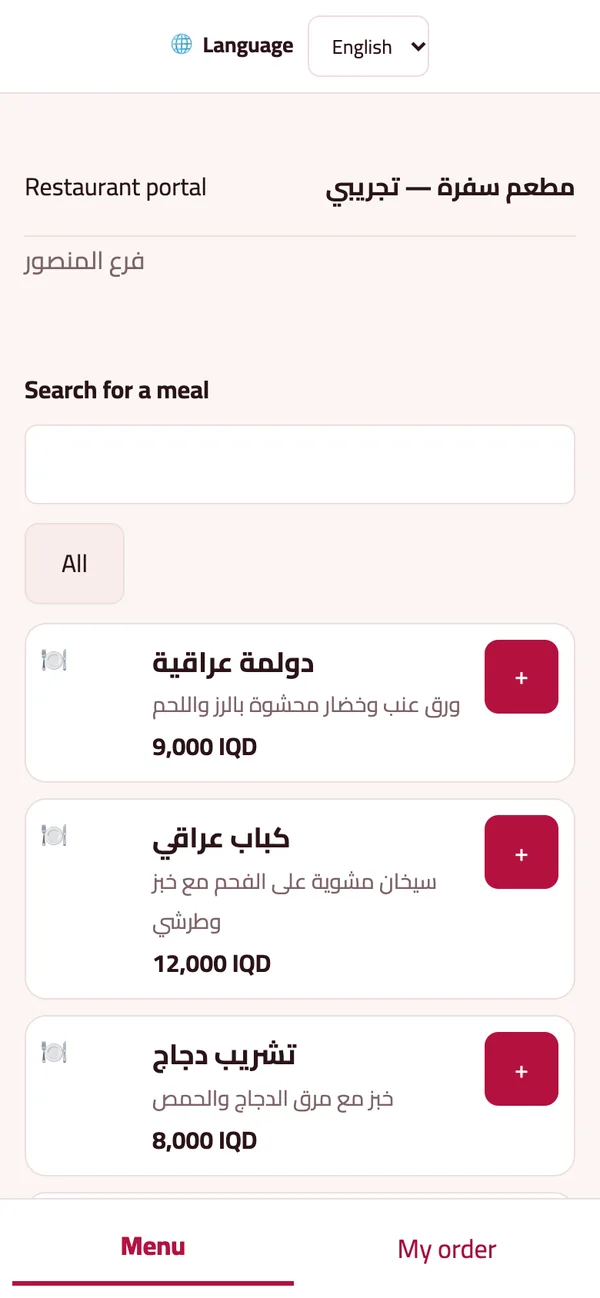
06 · Pickup code
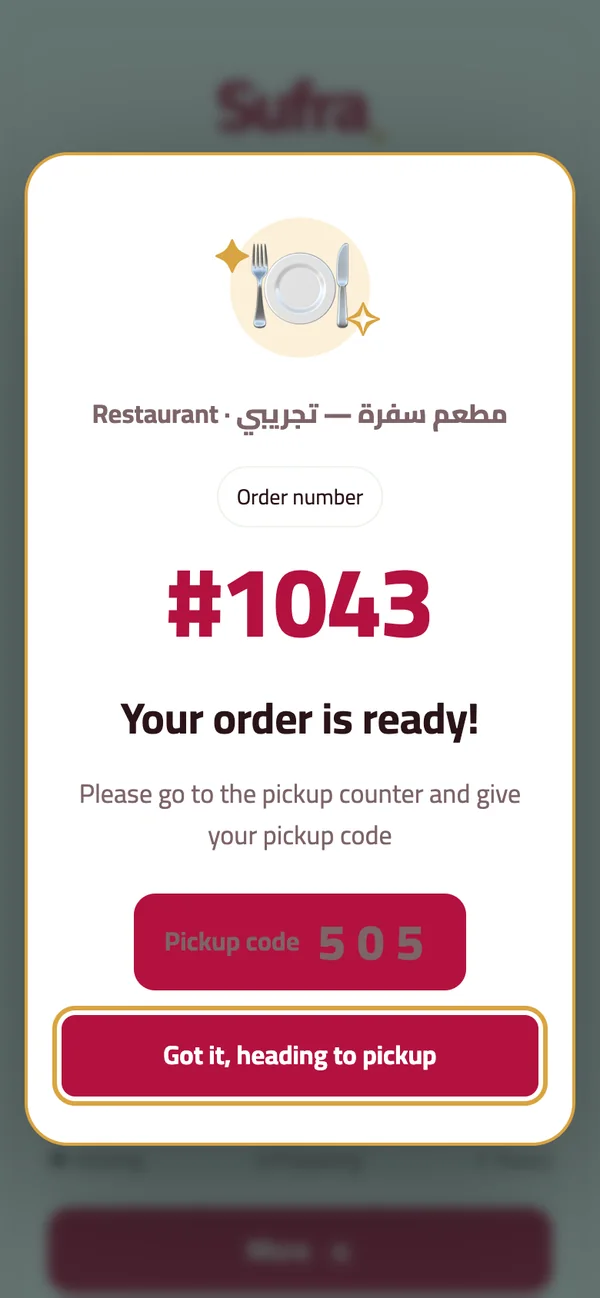
When the order is ready the guest sees “Your order is ready” with a pickup code. At the counter the cashier asks for the code before handing over — the order number alone isn't enough — and a branch can block handover without a code unless a manager steps in.
Included in base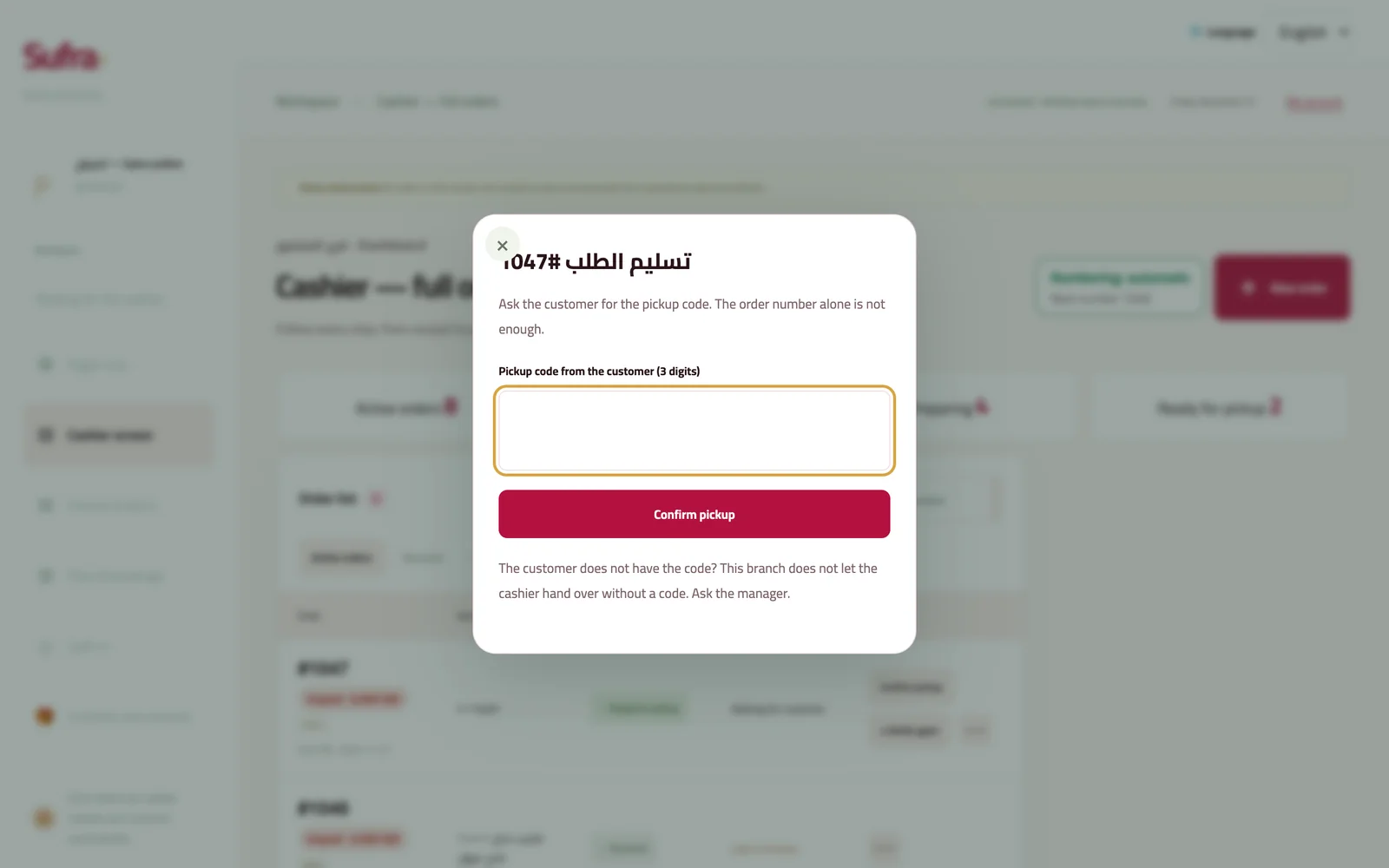
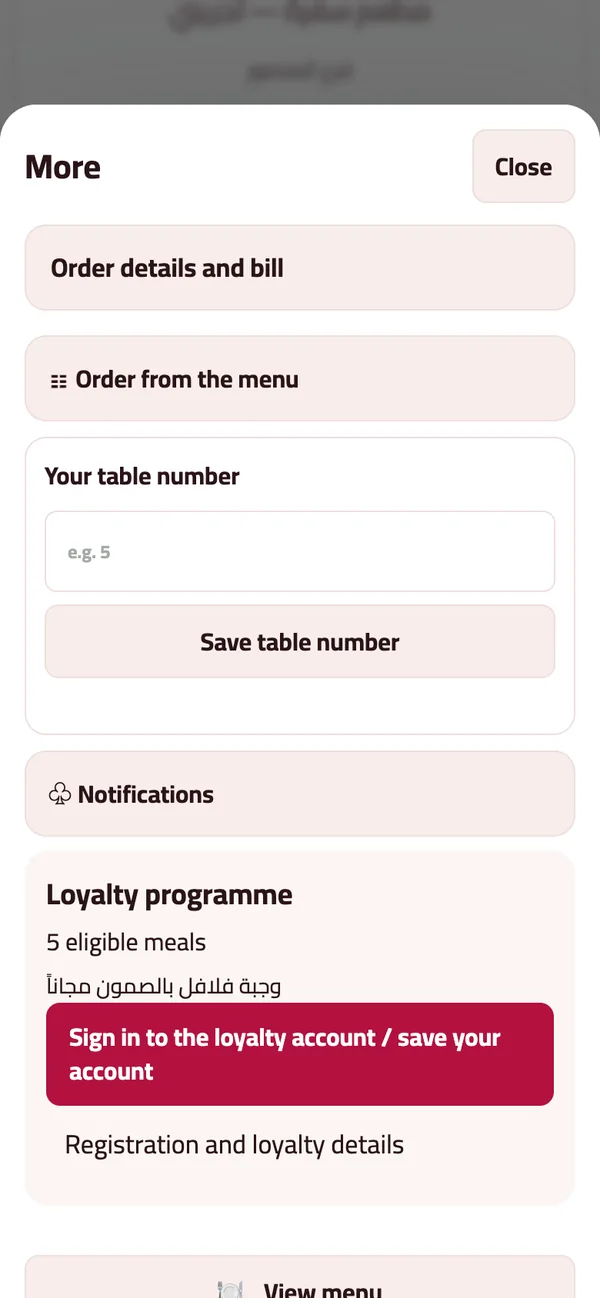
07 · Loyalty programme
The restaurant sets the number of paid meals, the reward and an optional spend condition. Guests join from their order card or a QR code at the cashier, and their balance stays with your restaurant.
Included in base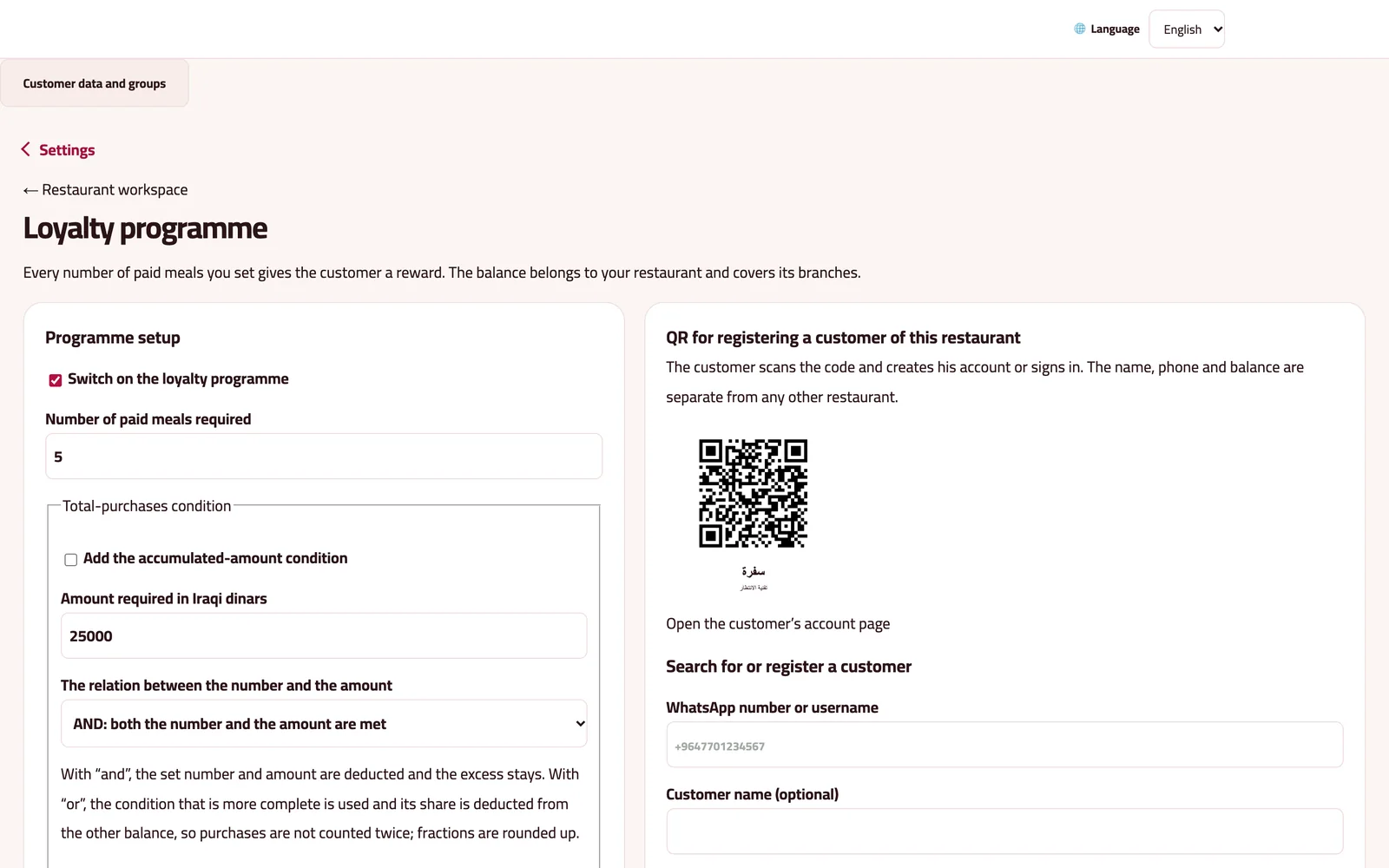
08 · Alerts
WhatsApp alerts and browser notifications are services the Sufra team enables; they work after the guest's consent and depending on their device. On the order card itself, the view changes the moment the order is ready, with sound and vibration settings.
Enabled by the Sufra teamGive guests the choice to follow their order and receive the notification that suits them.
Beyond order management
Stock that updates with every order, gifts that delight guests, a dining-room screen that works for your brand, and moments of surprise while guests wait — all real screens from Sufra.
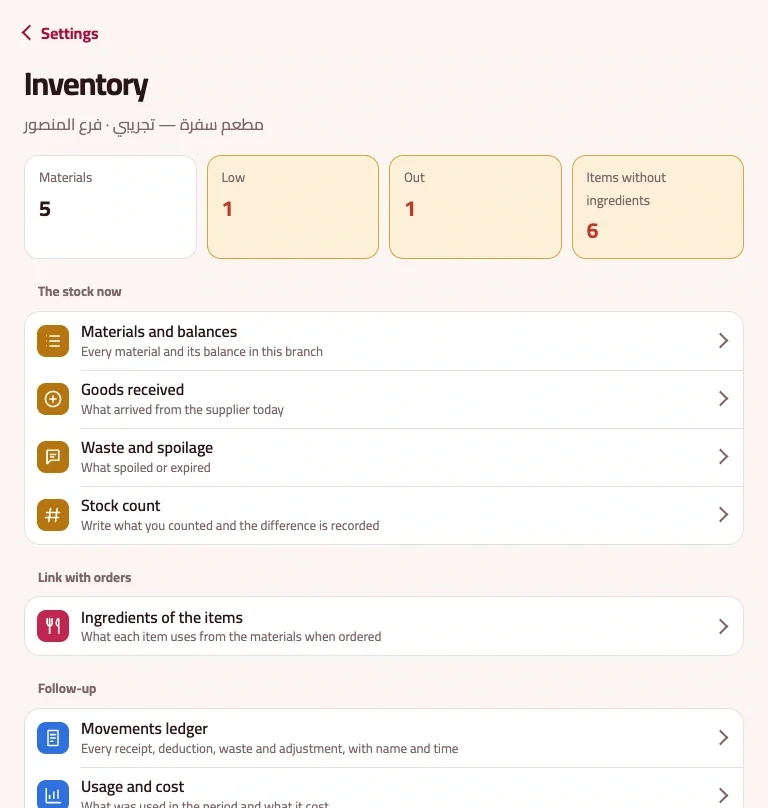
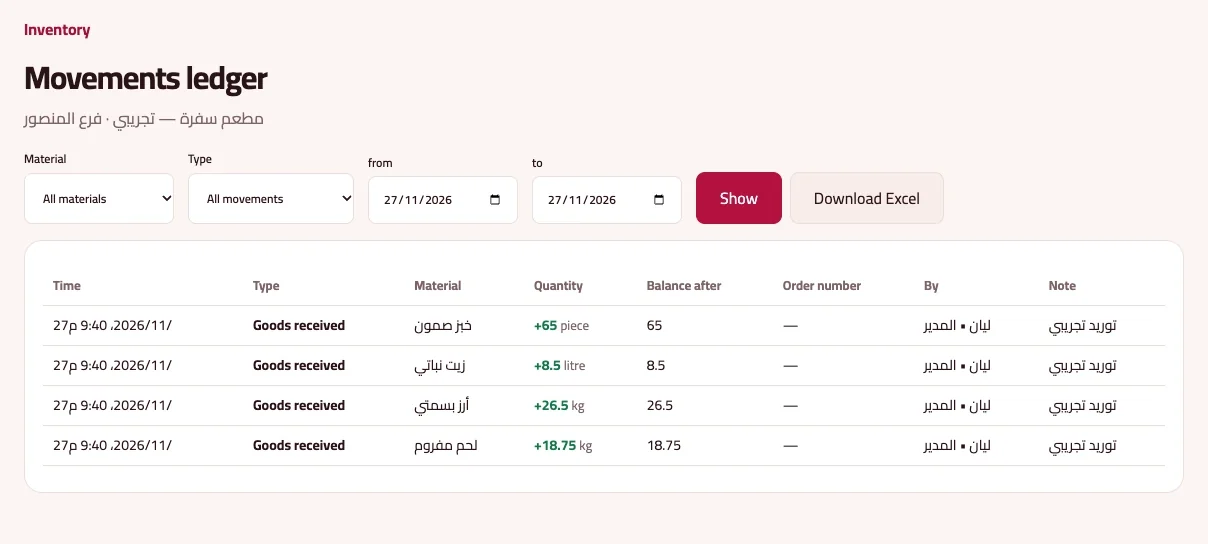
01 · Inventory management
Define your materials once and link each menu item to its ingredients; stock is deducted automatically with every order and returned if it is cancelled before preparation. Each branch keeps its own balance.
Enabled by the Sufra team A new service enabled for each restaurant by the Sufra team as it becomes available.
02 · Gifts & rewards
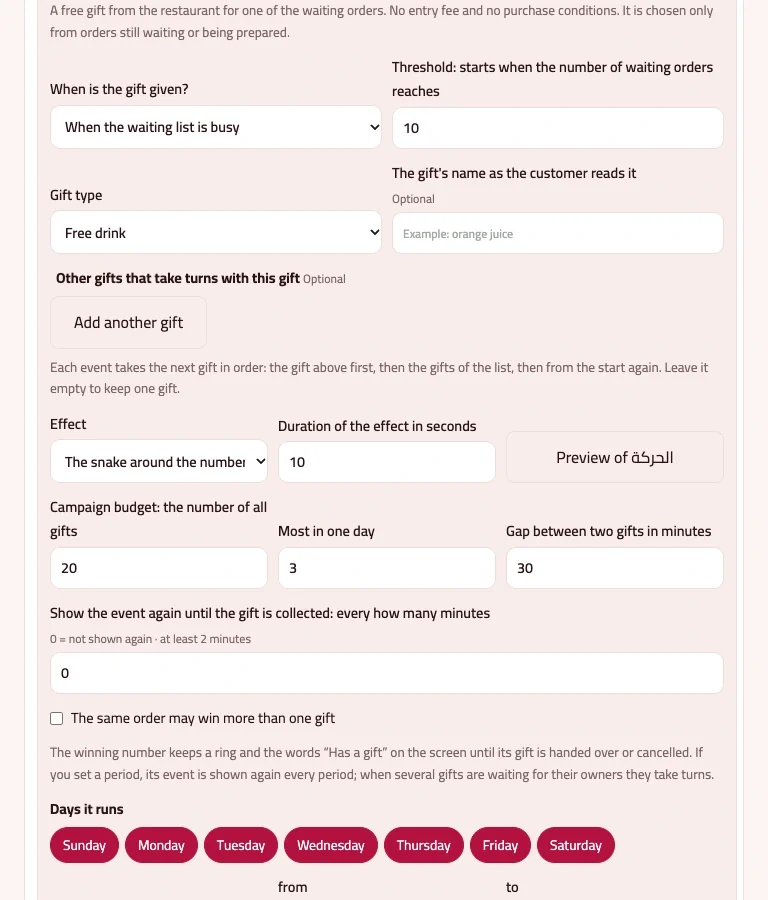
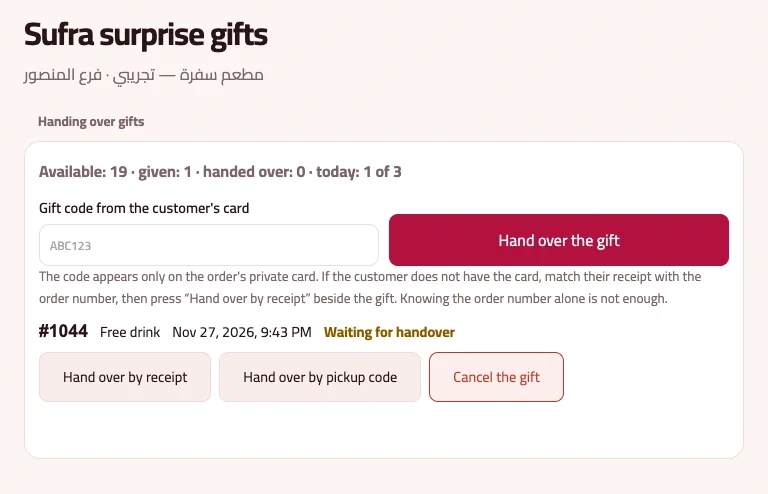
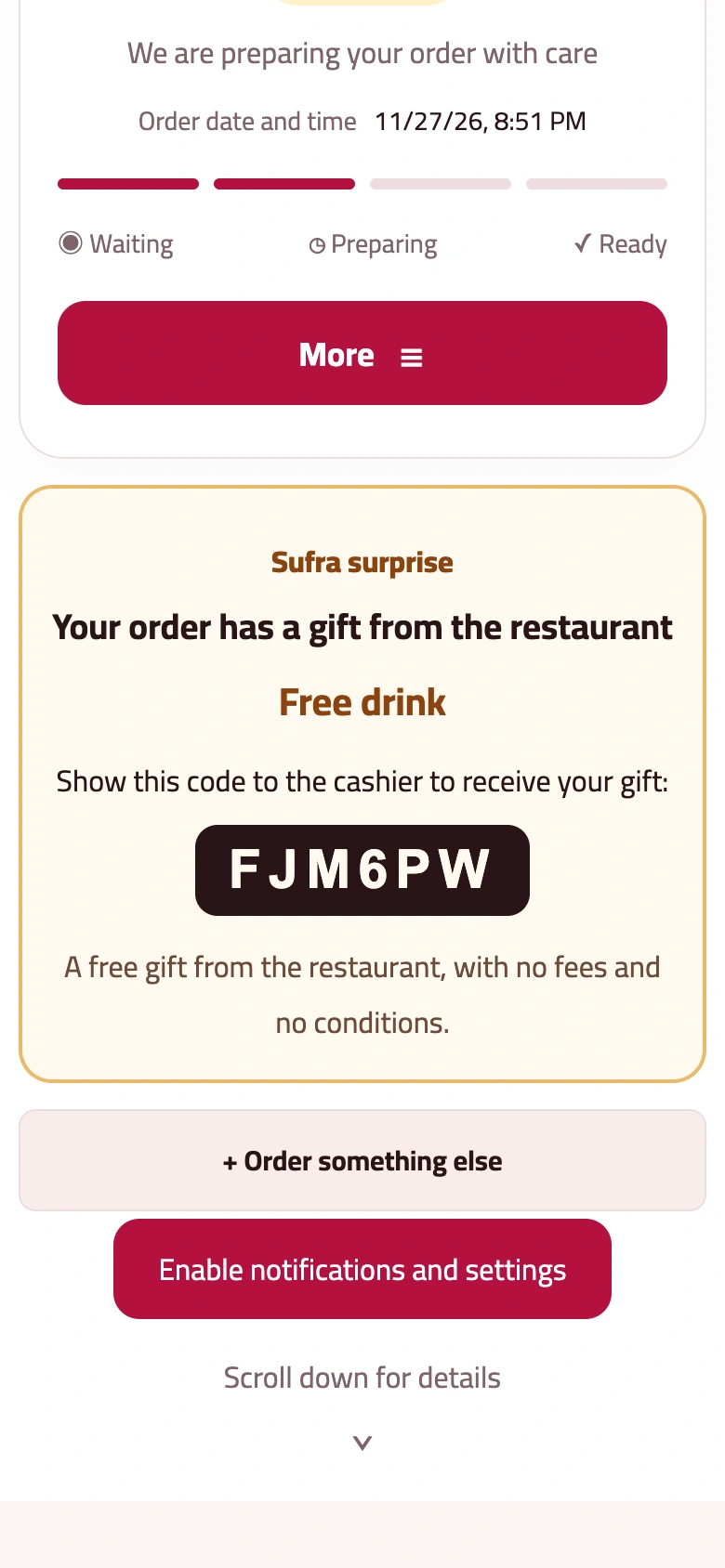
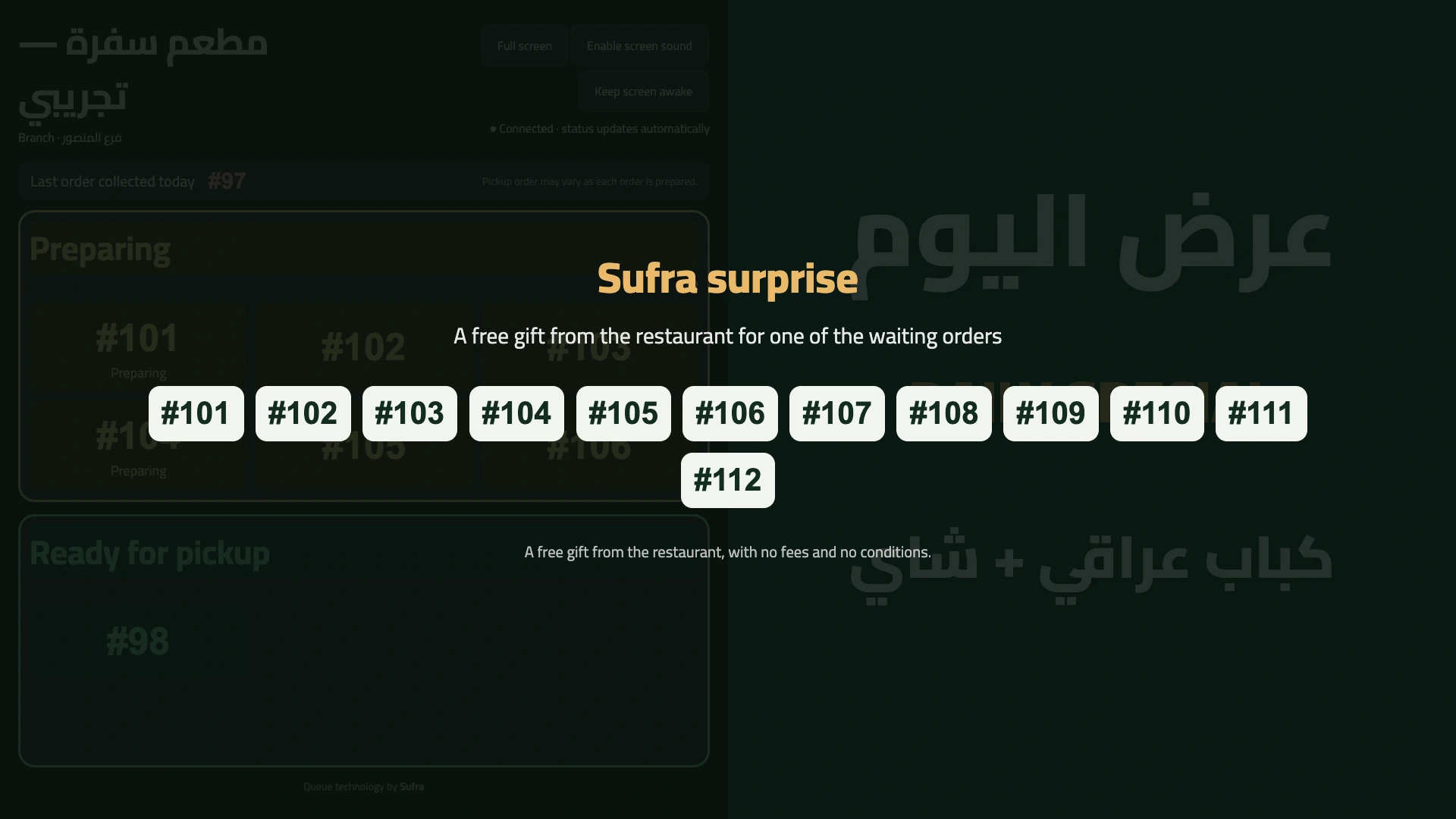
Choose the gift — a meal, a drink, a dessert or a discount — and when it is given: when the waiting list gets busy, or after every so many orders. The surprise is announced on the customer display by order number only, and the private claim code appears on the winner's own card.
Enabled by the Sufra team “Sufra surprises” is enabled by the Sufra team. The gift is free for the guest, with no fees or conditions.
03 · Digital ads & split screen
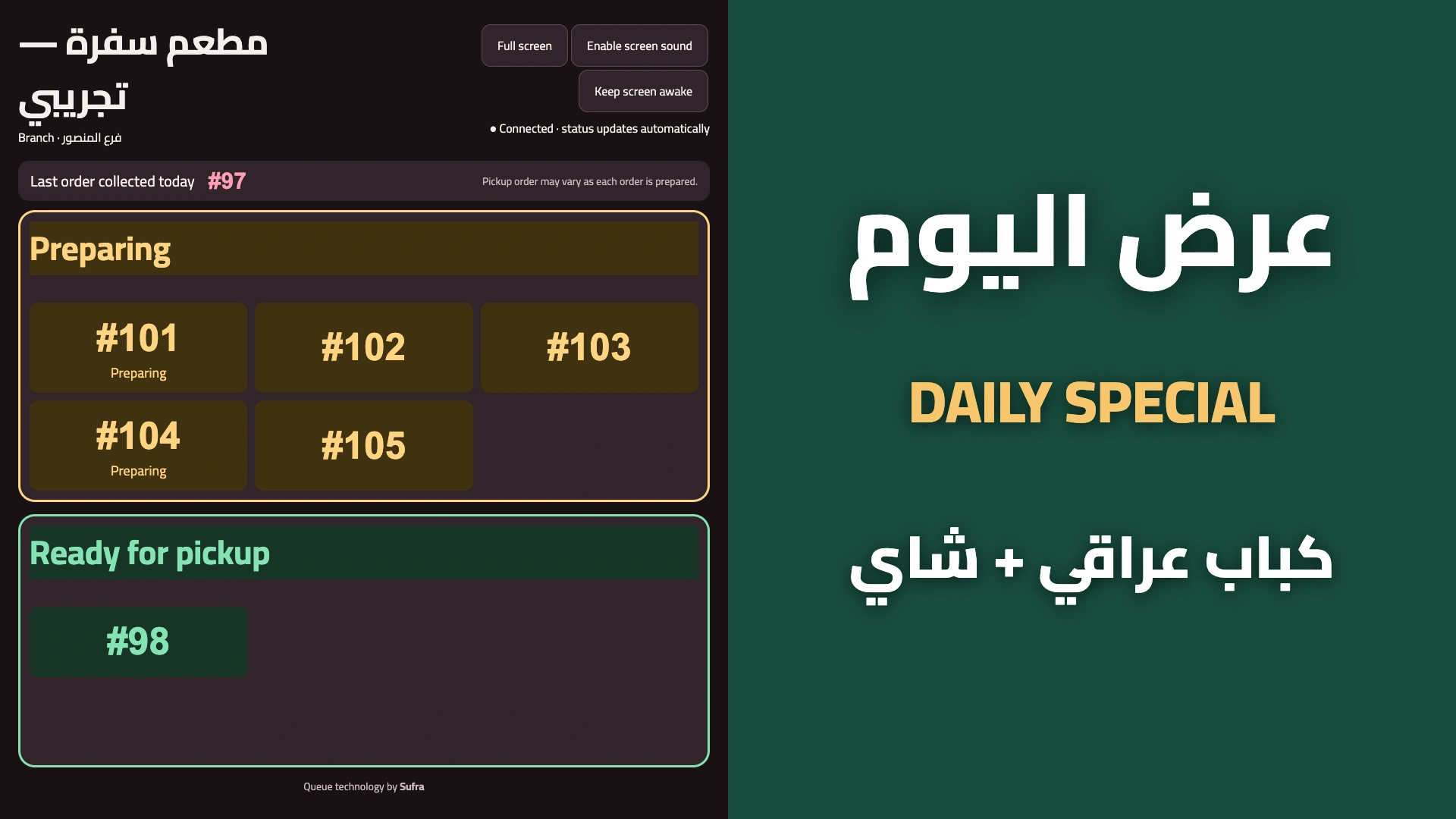
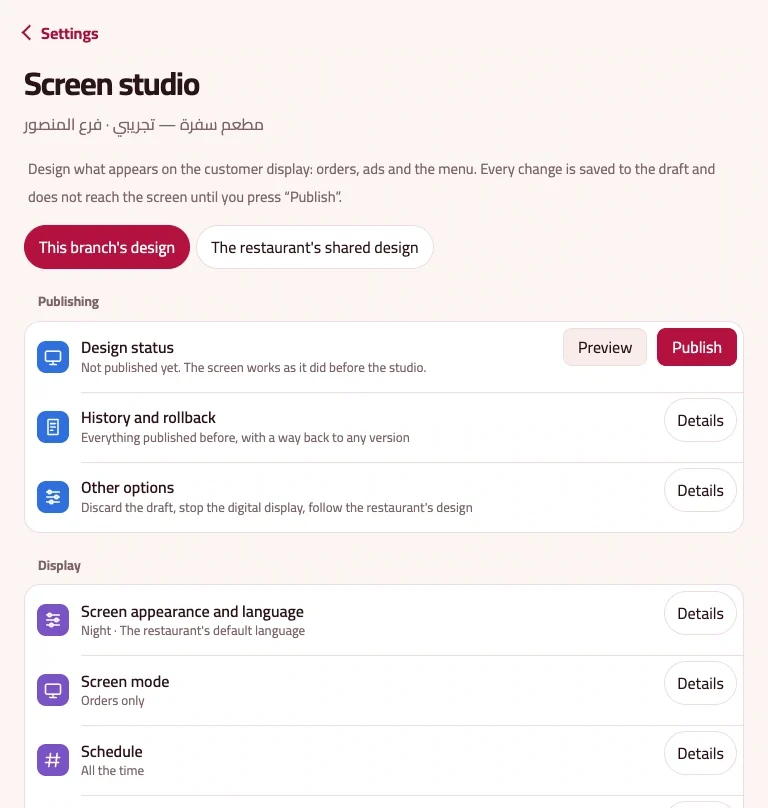
Design what appears on the customer display in the screen studio: your ads, offers and menu — or split the screen between orders and ads at the proportion you choose.
Enabled by the Sufra team The screen studio is enabled by the Sufra team.
04 · Waiting-time entertainment
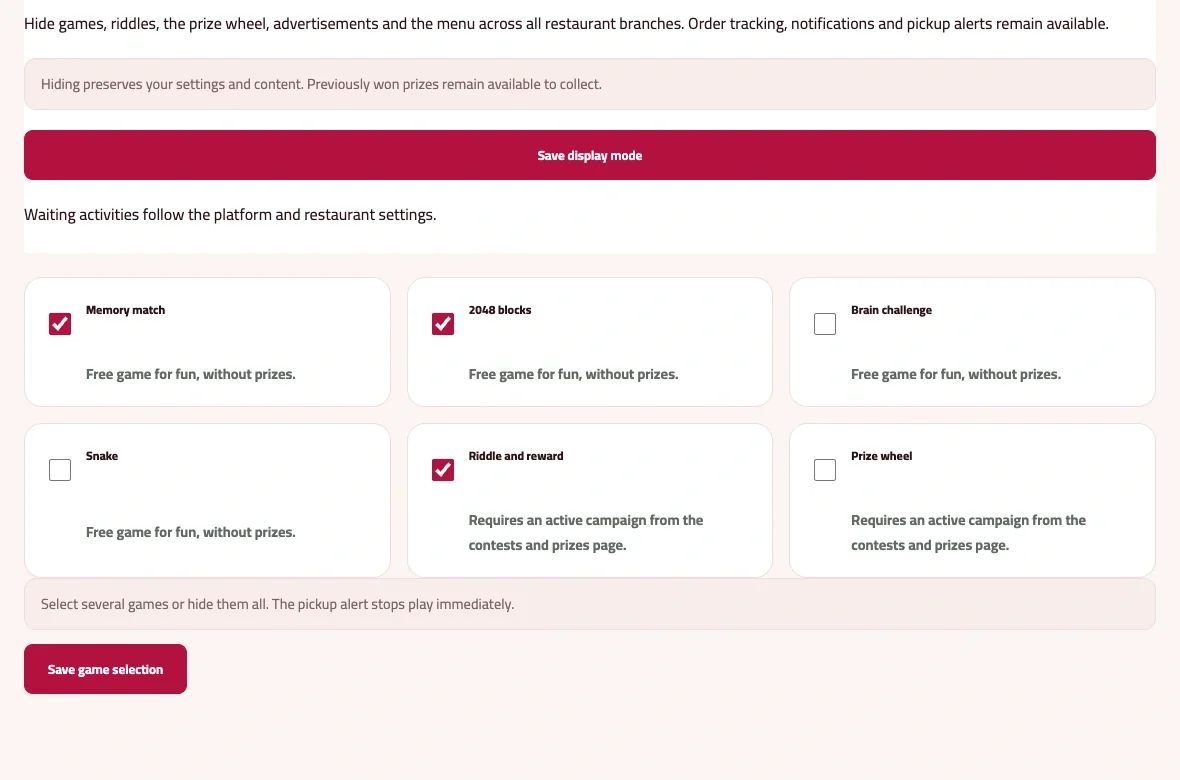
When the waiting list fills up, the customer display becomes a small celebration: an animated effect sweeps around the waiting order numbers, then reveals the number that wins a gift from the restaurant.
Enabled by the Sufra team Surprises and waiting games are enabled by the Sufra team.
To be precise: for now the compact waiting card hides the games panel, so guests can't play from their card yet. What you see here is the game selection in the restaurant's settings; the display surprises are live.
For owners and managers
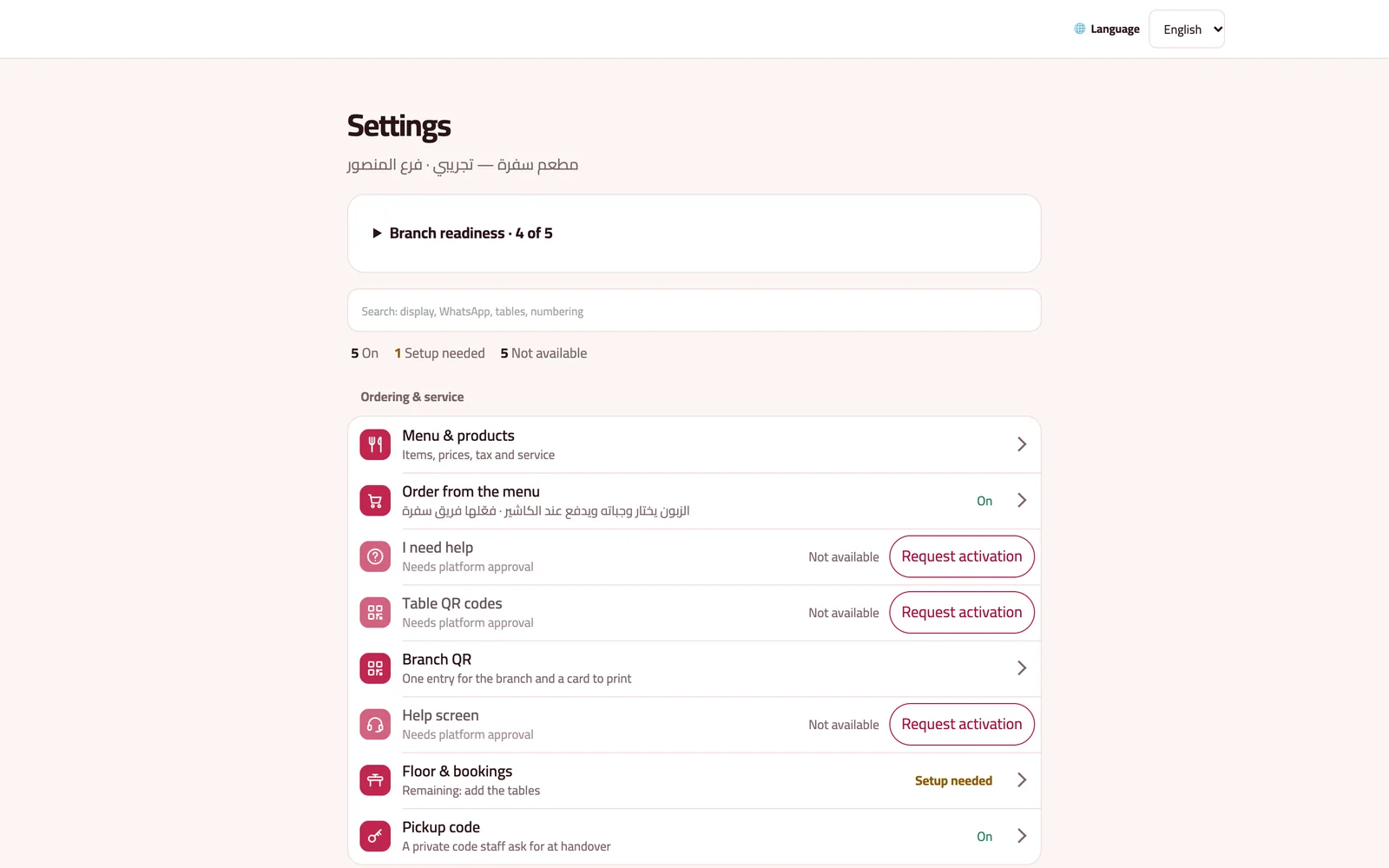
A settings centre that shows each service's status, reports, and one menu for every branch.
The settings centre shows branch readiness and each service: on, needs setup, or needs platform activation — with a “Request activation” button.
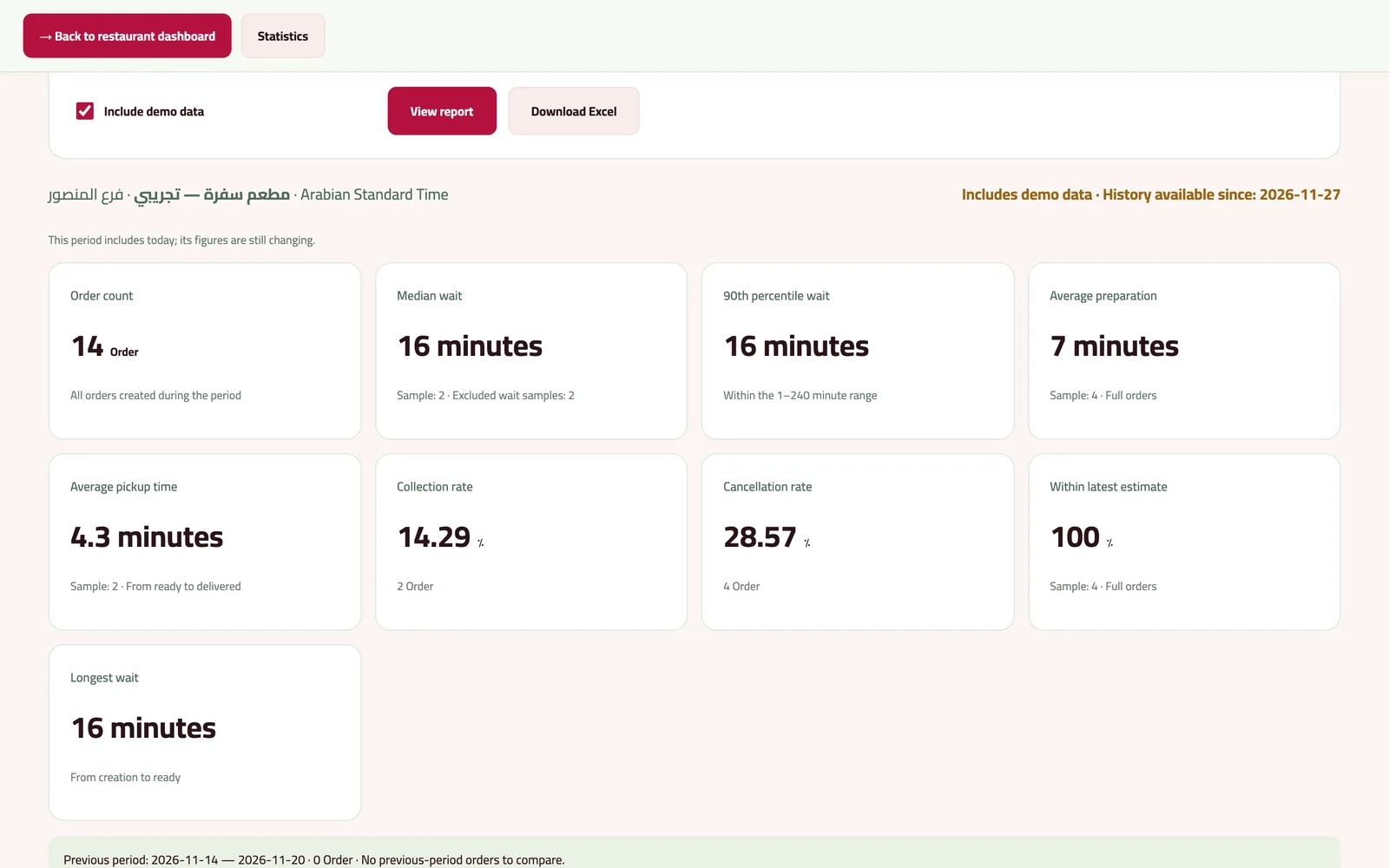
Order count, median wait, 90th-percentile wait, average preparation and pickup time, handover and cancellation rates — with Excel download, and demo data excluded by default.
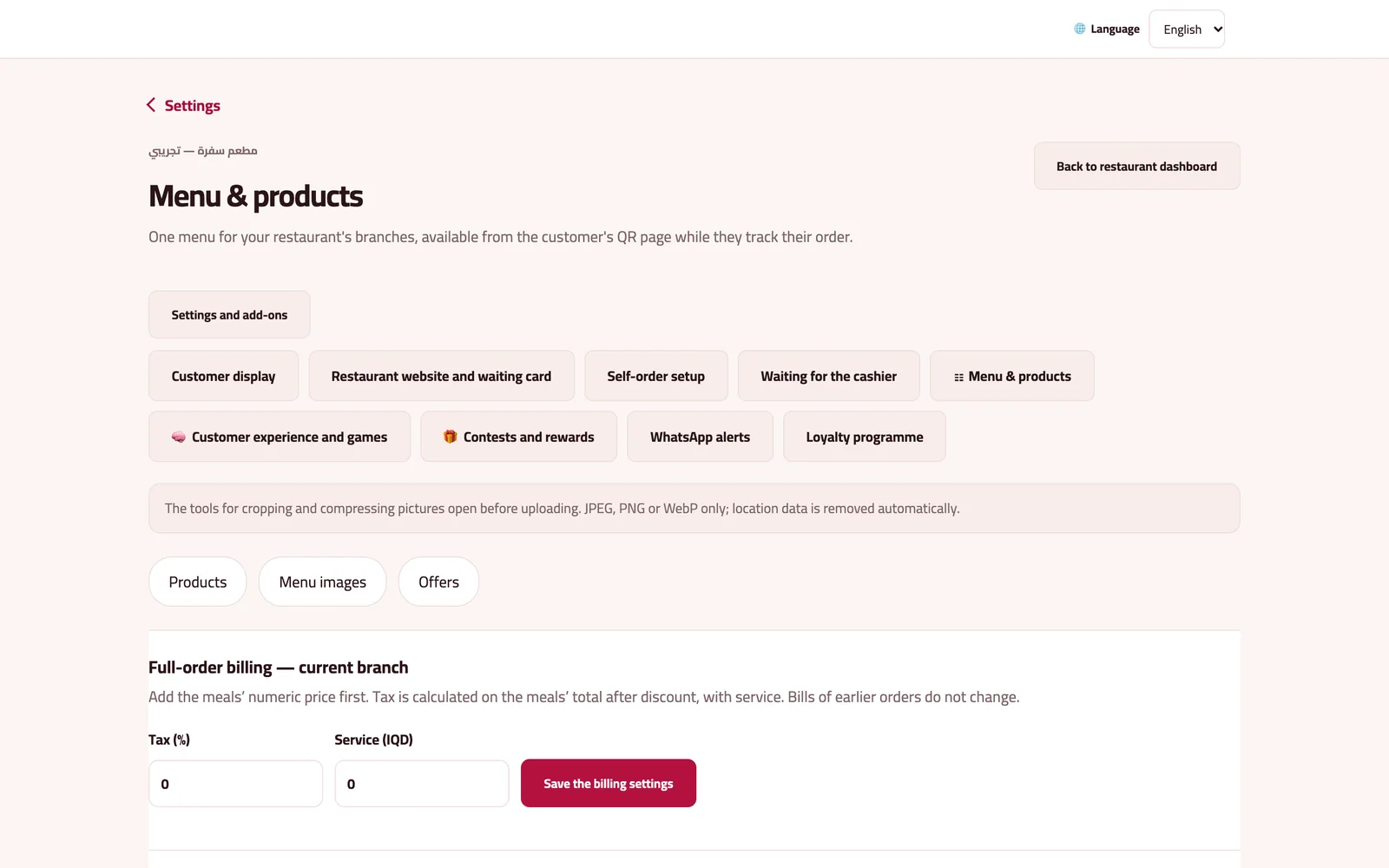
Products, images and offers in one place, shown to guests on the QR page and while they follow their order, plus tax and service settings for the bill.
Open the display link on any TV or connected device, copy it, or replace it and disable the old one whenever you like.
Settings, reports, the menu, loyalty and the customer display.
New orders, status tracking, and handover confirmed with the pickup code.
Columns by status; start preparation and mark ready with a tap.
Follows along in the phone's browser with no account, and sees your menu while waiting.
Services
This classification comes from the Sufra service registry. Actual availability for your restaurant is confirmed at registration.
Available to every restaurant; the manager turns them on and sets them up.
Requested from the settings centre; needs platform approval.
New services are enabled for each restaurant by the Sufra team as they roll out.
Interface languages: Arabic, English and Kurdish (Sorani). Each restaurant chooses the languages of its guest page.
Free trial · 14 days
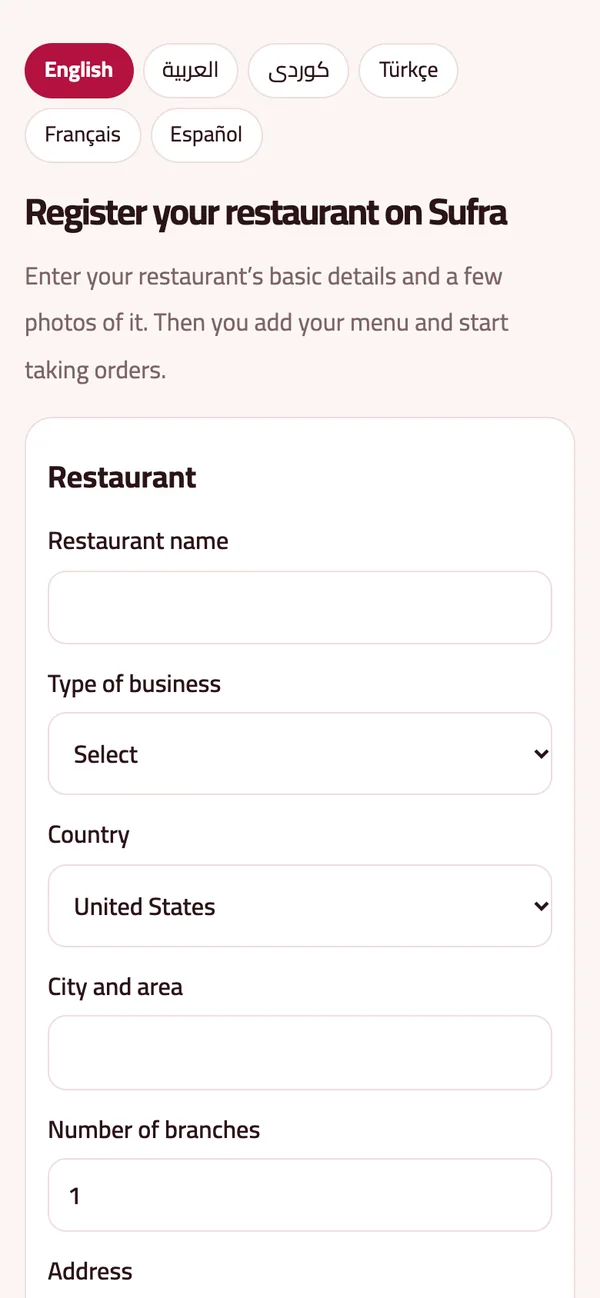
Enter your restaurant's basic details and a few photos. After review, you add your menu and start taking orders.
An application may need approval before activation, and the trial is not activated automatically in every case. If the trial ends without a subscription, the restaurant is paused and its data is kept.
Existing customer? Log in · The login page is for existing accounts only.
Or call us: +964 770 270 1385
FAQ
The “Join us” button takes you to the registration page at safra.ordbase.io/join. Enter your restaurant's details and attach a few photos, then the Sufra team reviews the application.
Not always. An application may need the team's approval, and the trial depends on eligibility and platform settings. When eligible, it is free for 14 days.
No. Guests follow their order in the phone's browser via a link or QR code. Background notifications depend on the device, the browser and the guest's consent.
WhatsApp alerts are a service the Sufra team enables for a restaurant, and guests opt in from their order card. Ask the team whether it's available for your restaurant.
No. The estimated time is informational only; the kitchen or cashier marks the order ready, and the cashier confirms handover.
The Sufra interface is available in Arabic, English and Kurdish, and each restaurant chooses the languages of its guest page.
We don't publish prices on this site. Contact us for subscription details after the trial.
Use “Customer login” at the top of the page; the registration page is for new restaurants only.